

Choosing the right lightweight laptop often comes down to balancing performance with budget. Apple revolutionized its portable lineup with the transition to custom silicon, making the decision between models more complex. The debate surrounding the macbook air m3 vs m2 is particularly interesting because both machines look identical from the outside. They share the same sleek chassis, the same bright display, and the same port layout. However, the internal components tell a different story.
Consumers often wonder if the newer iteration provides enough tangible benefits to warrant the premium price tag. For everyday tasks like web browsing and text editing, the differences might seem negligible. Yet, for users pushing their machines with creative workloads or external displays, the internal upgrades become highly relevant. This comparison breaks down the hardware changes, real-world performance metrics, and value propositions of both laptops. We will explore exactly what you get when you choose the newer model and what you might miss out on if you decide to save money with the previous generation.
Core Differences Under The Hood
The primary distinction between these two laptops lies in their processing capabilities. The M2 chip introduced a significant leap over the original M1, bringing a redesigned architecture and improved graphics. It handles most daily tasks without breaking a sweat. You can easily manage multiple browser tabs, stream high-definition video, and edit light photos simultaneously. The M2 remains a highly capable processor for the average user.
On the other hand, the M3 chip brings hardware-accelerated ray tracing and a more efficient manufacturing process. This specific apple silicon comparison shows that the newer chip excels in graphic-intensive applications. If you render 3D models or play optimized games, the M3 provides a noticeably smoother experience. Furthermore, the M3 architecture improves memory bandwidth efficiency, which helps when handling large files.
Another crucial hardware upgrade involves external display support. The M2 model officially supports only one external monitor. This limitation frustrates many office workers and creatives who rely on dual-screen setups. The M3 version solves this problem by supporting two external displays when the laptop lid is closed. This small but vital change significantly alters how professionals use the device at their desks.
Design And Display Consistency
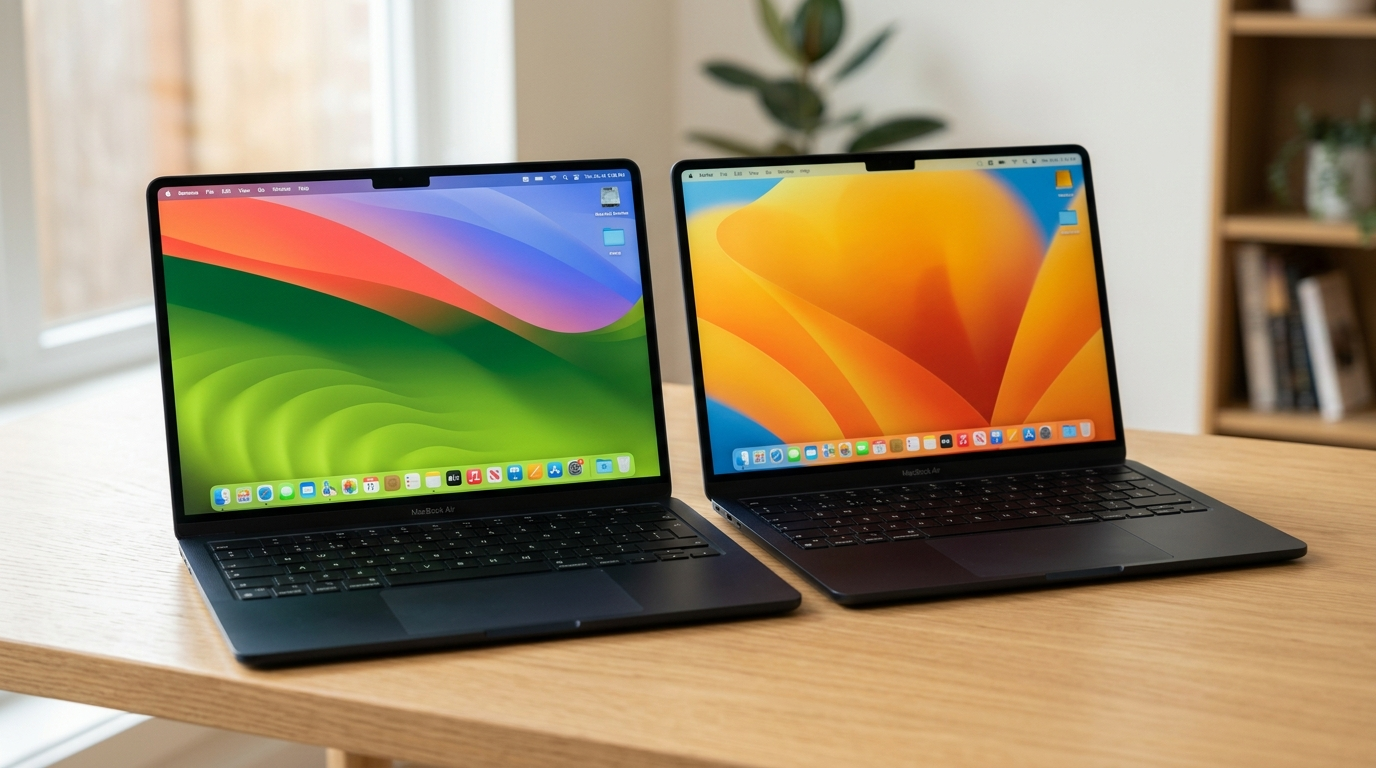
Apple chose not to alter the physical design when moving from the M2 to the M3. Both laptops feature the flat, modern aesthetic that replaced the iconic wedge shape of older generations. They weigh the same and occupy the exact same footprint in your backpack. The aluminum chassis feels premium, durable, and exceptionally thin. You also get the same excellent Magic Keyboard and spacious Force Touch trackpad on both machines.
The Liquid Retina display remains unchanged across both iterations. It offers excellent color accuracy, deep contrasts, and plenty of brightness for indoor use. Whether you watch movies or edit spreadsheets, the visual experience is identical. The notch at the top of the screen still houses the 1080p webcam. Since the physical attributes are identical, your buying decision should rely entirely on internal specifications and price.
Everyday Performance And Gaming
For the majority of users, daily performance feels remarkably similar on both devices. Opening applications, waking the laptop from sleep, and navigating the operating system happen instantaneously. The m2 air battery life and general responsiveness established a high standard that the newer model simply maintains. You will not notice a speed difference when typing documents or checking email.
However, the m3 chip performance shines during sustained workloads. Video editors exporting 4K footage will see faster render times. Software developers compiling large codebases will also benefit from the slight CPU speed bump. Additionally, the newer graphics architecture makes light gaming more viable. Hardware-accelerated mesh shading improves frame rates in supported titles.
Thermal Throttling Reality
Since the Air lineup lacks internal fans, both models rely on passive cooling. When you push the processors to their limits for extended periods, they will eventually throttle performance to manage heat. The M3 runs slightly warmer under maximum load compared to its predecessor. Despite this, neither machine becomes uncomfortably hot during typical usage. If your workflow constantly pushes the chip to its thermal limit, you might want to consider the MacBook Pro lineup instead.
|
Feature |
M2 Model |
M3 Model |
|
Processor |
8-core CPU |
8-core CPU |
|
Graphics |
Up to 10-core |
Up to 10-core (ray tracing) |
|
External Displays |
1 supported |
2 supported (lid closed) |
|
Wi-Fi Standard |
Wi-Fi 6 |
Wi-Fi 6E |
Battery Life Expectations
Apple heavily markets the efficiency of its silicon, and both laptops deliver exceptional endurance. You can comfortably leave your charger at home for a standard workday. Browsing the web, attending virtual meetings, and writing documents consume very little power. Both machines consistently hit around 14 to 15 hours of real-world usage on a single charge.
Interestingly, the more advanced manufacturing process of the M3 does not translate to drastically longer battery life. The newer chip uses its efficiency to deliver more performance rather than extending runtime. Therefore, if your primary concern is working away from a wall outlet for as long as possible, the M2 remains an incredibly strong contender. Both models utilize the convenient MagSafe charging standard, freeing up the Thunderbolt ports.
Questions Frequently Asked By Buyers
Is the macbook air m3 vs m2 difference noticeable for students?
For most students writing essays and doing research, the performance difference is completely unnoticeable. The M2 handles all academic tasks flawlessly. Only students studying 3D design, advanced computer science, or video production will genuinely benefit from the M3 upgrades.
Does the newer model have faster internet connectivity?
Yes, the M3 model upgrades the wireless chip to support Wi-Fi 6E. This provides faster speeds and less interference if you have a compatible router. The M2 model uses standard Wi-Fi 6, which is still perfectly adequate for high-speed streaming and downloading.
Which model offers a better laptop upgrade path?
If you currently own an Intel-based Mac, either model represents a massive laptop upgrade. However, if you already own an M1 Air, jumping to the M3 makes more sense due to the newer design and significant graphical improvements. Moving from M1 to M2 is a smaller incremental step.
Making Your Final Decision
Choosing the right device ultimately depends on your specific workflow and your budget constraints. If you simply need a reliable, fast, and beautiful machine for general use, the older generation offers tremendous value. It provides the same premium design, excellent screen, and robust battery life for less money. This macbook buyer guide suggests picking the M2 if you want to maximize your savings without sacrificing daily usability.
Conversely, the newer generation targets users who need slightly more graphical power or dual monitor support. The addition of ray tracing and Wi-Fi 6E provides a bit more future-proofing for demanding applications. If your daily setup involves connecting to multiple screens at a desk, the M3 is the clear winner. Carefully evaluate how you plan to use the computer over the next few years before making your purchase.